Squared
A meal planner for iPhone, like a calorie tracker in reverse. Instead of logging what you ate, you add the recipes you already cook, and Squared plans the week and makes one grocery list.
- Project
- Own product, iOS, 2026
- Role
- Founder and product designer
- Team
- Solo
- Platform
- iOS, SwiftUI. Android planned
- Status
- In App Store review, October 2026
Held directly
- Product strategy
- Naming
- Pricing
- UX and flows
- UI and design system
- Copy
- App Store and ASO
- Website
- Marketing
Directed
Engineering execution. Directed through an AI coding agent (Claude Code), with every product decision written down in the project and reviewed on device.
1
Grocery list for the whole week
3
Ways to add a recipe: screenshot, link or typing
0
Recipes that aren't yours
1st
Week free, Plus for every week after
Your recipes, planned into your week.
"What's for dinner?" every day. Saved recipes that never get cooked. One shop for the week. Squared is for people who plan meals for a family or for themselves, mostly working mums and home cooks.
Most meal planners hand you a stranger's meal plan. Squared plans with your own recipes only, so the week is food you'd actually cook. Counting calories is there for people watching their weight, but it's a choice, never the point of the app.
Dinner's squared away.
Each decision kept the week simple.
Plan, cook, shop, prep.
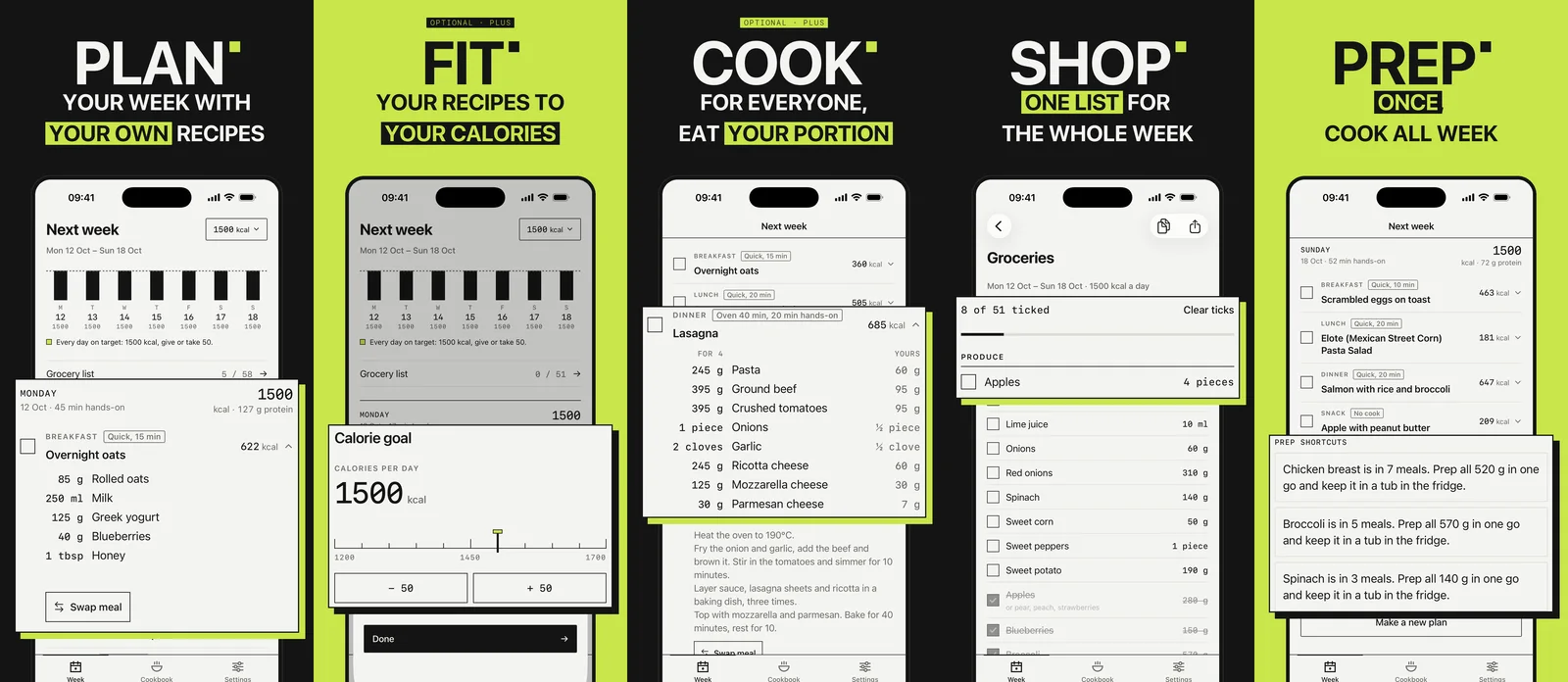
A quiet, timetable-like interface: the week from Monday with real dates, a calories-per-day chart against the goal, meals that open to scaled ingredients and method, and prep shortcuts Squared spots on its own: "Chicken breast is in 7 meals. Prep all 520 g in one go."
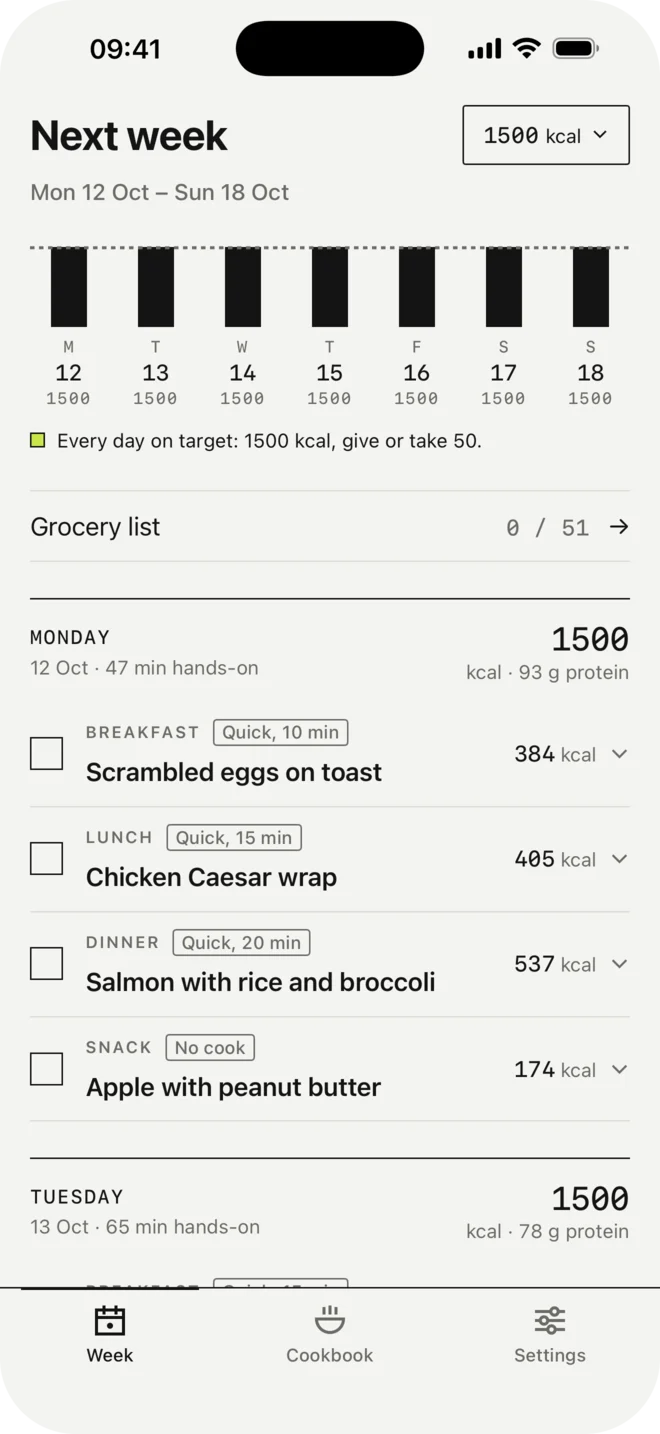
Every day lands on the goal, give or take 50 kcal. Kcal and protein per day.
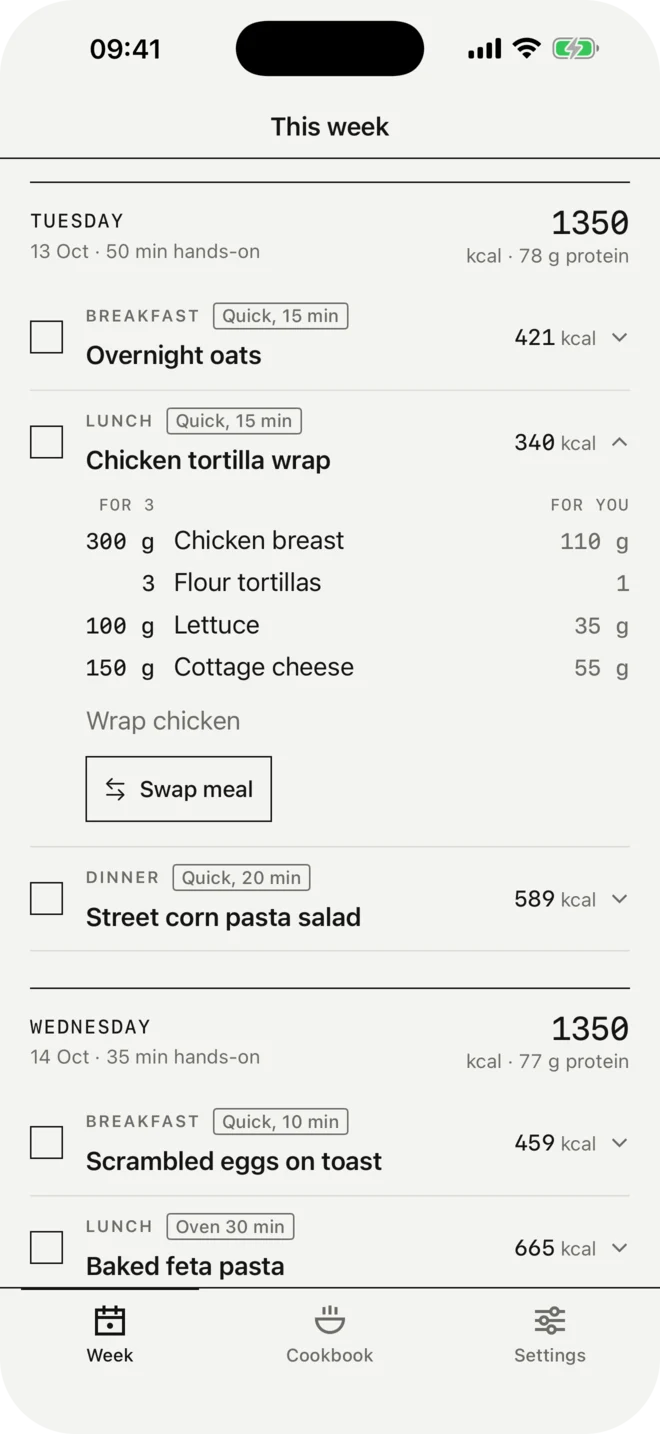
Amounts for the others and for you side by side. Swap meal in one tap.
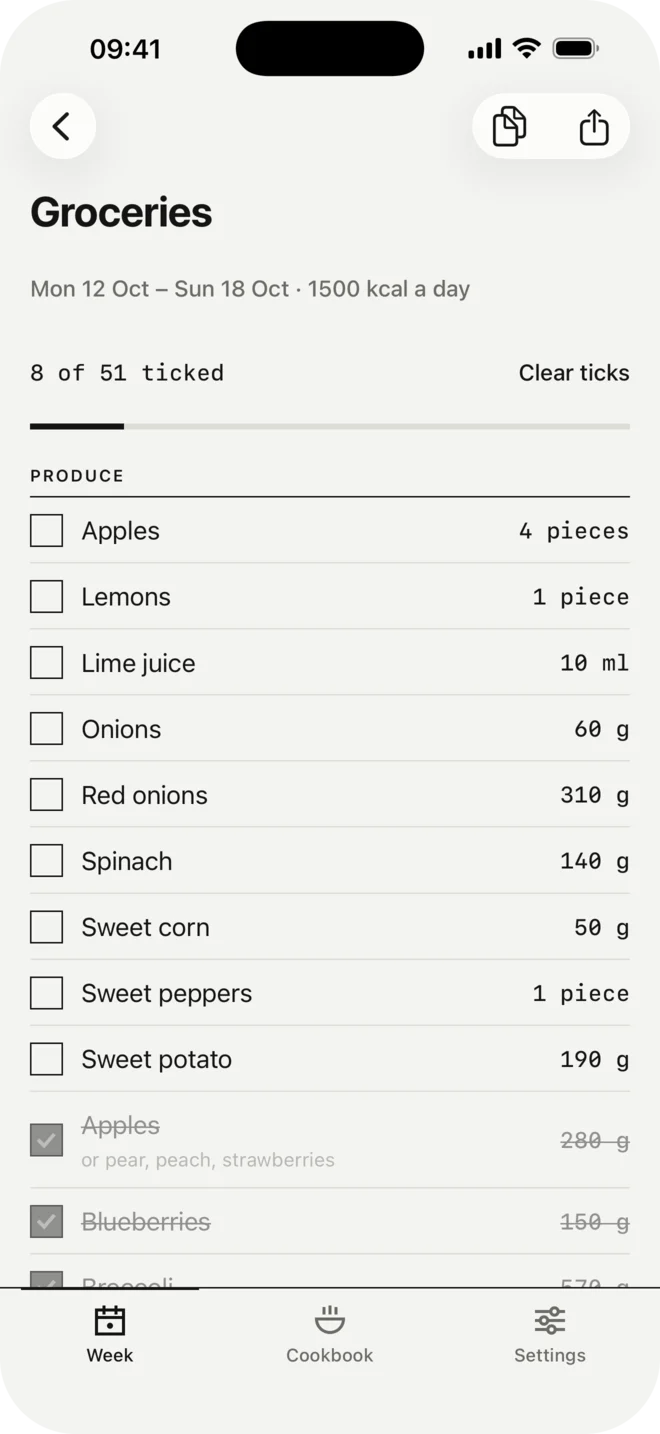
One list grouped by shop section, rounded up to what you'll buy. Share it as a live list or as text.
Calories are worked out, never typed.
From a screenshot
Read on the phone with Apple Vision. Nothing is uploaded.
From a link
A TikTok, Instagram reel or recipe website becomes a recipe, with the creator credited.
Typed in
Every route ends on the same review screen, with unsure fields highlighted.
A food database inside the app (USDA basic foods and Open Food Facts products) calculates calories from the ingredients. When a screenshot reads poorly, for example a recipe in Croatian, "Improve with AI" tries the phone's own model first and only then, after asking, a cloud model.
Let people feel it before they pay.
Recipes and the first week
The recipe library, every way of adding recipes, sharing, and the first week of plans and grocery list. The first week also sizes portions to your calories, so you feel the Plus feature before paying.
Every week after, and calories
$39.99 a year with a 7-day free trial, or $6.99 a month. Recipes are never locked, and there are no timers or pressure.
I set prices after reviewing competitors (Plan to Eat, ReciMe, Samsung Food+, Eat This Much, Ollie), and chose no lifetime option at launch: AI imports cost money per use, so Plus stays a subscription.
Online-first, the opposite of Zorya.
Zorya keeps everything on the phone. Squared deliberately doesn't: accounts, recipe backup, shared grocery lists and AI imports all need a server. The planning itself still runs on the phone, so the week works without signal.
- SwiftUI, iOS 17
- Planner as a pure function
- Supabase accounts and backup
- Small server for AI keys
- StoreKit 2
Every product decision lives in a written project file, with the date and the reasoning, so the AI coding agent builds against the same rules I designed with.
Two audiences, two messages.
"Your recipes, planned into your week. One grocery list."
Mums and home cooks who plan the week. They pay for Plus after the first week.
"Stop answering 'Recipe?'. One link for all your recipes."
A free cookbook page at squaredmeals.app/@name. Their followers save recipes into Squared, which is how it spreads.
Next
- Plan next week early
- Android in Kotlin
- Creator path
- Save from a creator page
Zorya →